01
Capture it.
Snap a device or its label. AI reads the make, model and serial so you can check the details and save. Prefer a desktop? The Windows and Mac uploader reads its specs for you.
Know what you own, who has it, and where it is. Turn a photo into an asset, give it a QR label, and keep your whole team in the loop.
30 assets free No credit card needed
Built for Australian organisations. ABN required.
YOUR WORKSPACE
| Asset | Assigned to | Status |
|---|---|---|
| MacBook Pro 14DEMO-0001 | Alex | Assigned |
| ThinkPad T14DEMO-0002 | Jordan | Assigned |
| iPhone 15DEMO-0003 | Sam | Assigned |
| Dell UltraSharpDEMO-0004 | — | Available |
| No matching assets. Try another search. | ||
Showing 4 example assets
Fits right into
your working day.
A LITTLE CLARITY, IN 24 SECONDS
A 24-second silent overview. See how a photo, a QR label and one shared register bring it all together.
Monkey Assets: all your gear, all in order. An illustrative register brings laptops, phones and monitors together with their assignees and statuses.
Capture it. AI reads a device's make, model and serial from a photo. Check the details before saving. The example shows a Lenovo ThinkPad T14 reviewed and ready to save.
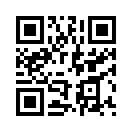
Label it. Print a QR label, stick it on and scan it to open the asset record. Asset details require authorised sign-in; the example QR links to the Monkey Assets homepage.
Keep track of it. See people, places and movement history in one shared register. The example laptop is assigned to Jordan at the Brisbane office, with its handover and site changes recorded.
Bring it together. Optionally connect Microsoft 365 people and devices through Entra ID and Intune, on every plan, or use Monkey Assets on its own. Available on the web, iPhone, Windows and Mac.
Start free at monkeyassets.net. The free plan includes 30 assets, 2 users and 5 AI photo scans per month. No credit card needed. For Australian organisations; an organisation ABN is required.
LESS BUSYWORK, FROM DAY ONE
No elaborate rollout. Just three simple steps to give every device a home.
Snap a device or its label. AI reads the make, model and serial so you can check the details and save. Prefer a desktop? The Windows and Mac uploader reads its specs for you.
Every saved asset gets a permanent QR tag. Print Brother QL labels or an A4 sheet, stick one on, and give that mystery laptop an identity.
Scan the label to open the record when signed in. See who has it, where it belongs, and its movement history. One place to look, wherever work takes you.
A LITTLE ORDER GOES A LONG WAY
For the IT teams, office managers and MSPs who keep everyone else's day running.
Assign equipment to people and sites. Give admins, managers and viewers the access they need, with viewers limited to their own gear and sites.
Request digital acceptance when equipment changes hands. Keep a dated trail of assignments, movements and edits, so the next question is easy to answer.
The included Windows and Mac uploader captures specs and serial numbers. Use intake keys with your own tooling for scheduled check-ins.
Optional AI performance estimates help you assess a device for office, gaming and creative work. A useful starting point, not a hardware benchmark.
Enable lost-and-found labels so a finder can leave contact details without seeing the private asset record. Optional, and off until you switch it on.
See dated, self-reported encryption, antivirus and firewall status from the desktop uploader, with CSV exports to help answer security questionnaires.
Hosted in Sydney, with per-organisation access controls and two-factor authentication.
ALREADY A MICROSOFT 365 TEAM?
Bring your directory and your register together. Connect Microsoft 365 to import your people and devices, then keep them current with optional daily sync.
Imports are read-only. Features that write back require a separate opt-in. Microsoft 365 is optional, and integrations are included on every plan.
BIG REGISTER. POCKET SIZE.
On the floor, in the van, at the next site. Scan QR labels, add photos and update your gear with Monkey Assets for iPhone and iPad.
Get it on the App StoreIncluded with every plan · iOS 17 or later
Illustrative app preview shown.
SMALL START. PLENTY OF ROOM.
Start free. Grow when you're ready. No per-user charges on paid plans.
For getting your gear in order.
A$0/ month
Free forever. No card needed.
For a growing team and its toolkit.
A$29/ month
or A$290 billed yearly
For a bigger fleet across more sites.
A$79/ month
or A$790 billed yearly
All prices in AUD, including GST. Every organisation starts on Free; upgrade in the web portal.
For organisations with an ABN. Compare full pricing & limits
Yes. Start with 30 assets, 2 users and 5 AI photo scans each month, with no credit card and no trial countdown. QR labels, the desktop uploader and integrations are included. Paid plans give you more capacity.
No. Use photo intake, manual entry or the Windows and Mac uploader on their own. Connect Microsoft 365 when you want Entra ID sign-in, directory imports or Intune device sync.
Monkey Assets is for Australian organisations managing their equipment, including companies, schools and IT providers. You'll need an ABN that belongs to an organisation. Personal accounts and sole traders aren't supported.
Authorised, signed-in team members can open the asset record. If you enable optional lost-and-found labels, someone outside your team can leave contact details without seeing the device's private information. Lost-and-found is off by default.
Your register is hosted in Sydney, Australia. AI photo intake and enabled AI performance scoring use Anthropic and involve overseas processing. See our data sovereignty guide for what is sent, where it goes and the controls available.
Yes. CSV export is included on every plan. Downgrading doesn't delete your records; if you're over the new limit, you can still read and edit existing assets.
LET'S GET YOUR GEAR TOGETHER.
Your first 30 assets are on us.